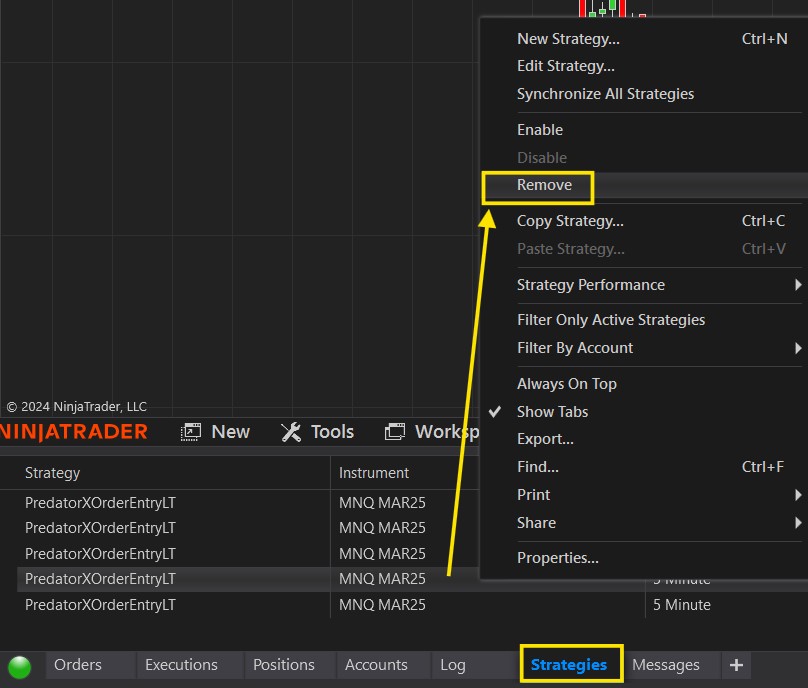
Run this checklist at the start of each trading session (or whenever you restart NT8) to keep your chart and strategy clean and accurate.
At the start of each session, or after restarting NT8, you may find leftover strategies in the Control Panel → Strategies tab. Remove these and start a fresh strategy each session — never reuse one from a previous session.
You can save your Strategy Template to make reloading easy.
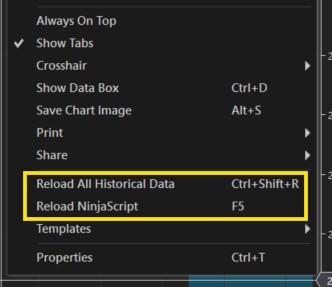
Ensure your Data and all 3rd party indicators on your chart are refreshed.
Before enabling the strategy, right-click the chart and Reload All Historical Data and Reload NinjaScript. This ensures all indicator plots are refreshed and read correctly when the Predator enables.
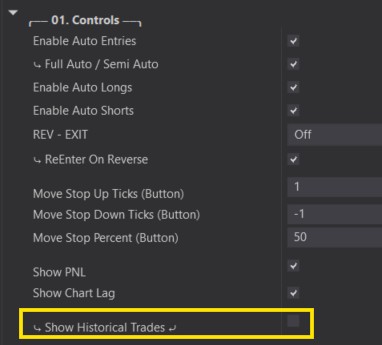
'Show Historical Trades' is great for back-testing, but these historical trades can interfere with live trading.
PNL limits or trade counts will count historical trades and may trigger and prevent trading before your strategy takes real live trades. Always turn this feature OFF while trading live or running your strategy on Market Replay.
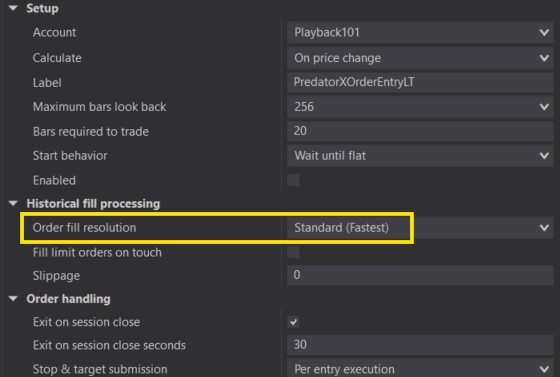
While back testing Historical Trades, a high fill resolution improves back-testing accuracy, However, please keep in mind that a High Fill resolution can cause issues with our Manual Entry system and with the ability to read Plots efficiently (Plot signals or Plot Stop/Profit Targets).
Please make sure this gets set back to Standard when running live or on Market Replay.
With any NinjaTrader strategy, you CANNOT change the Data Series while the strategy is enabled — this includes:
- Time Frame
- Instrument
- Bar Size
To change any of these, disable the strategy first, then re-enable once the new chart is loaded. Not disabling the strategy before changing the data series can become unsynced and orders may not be managed properly.
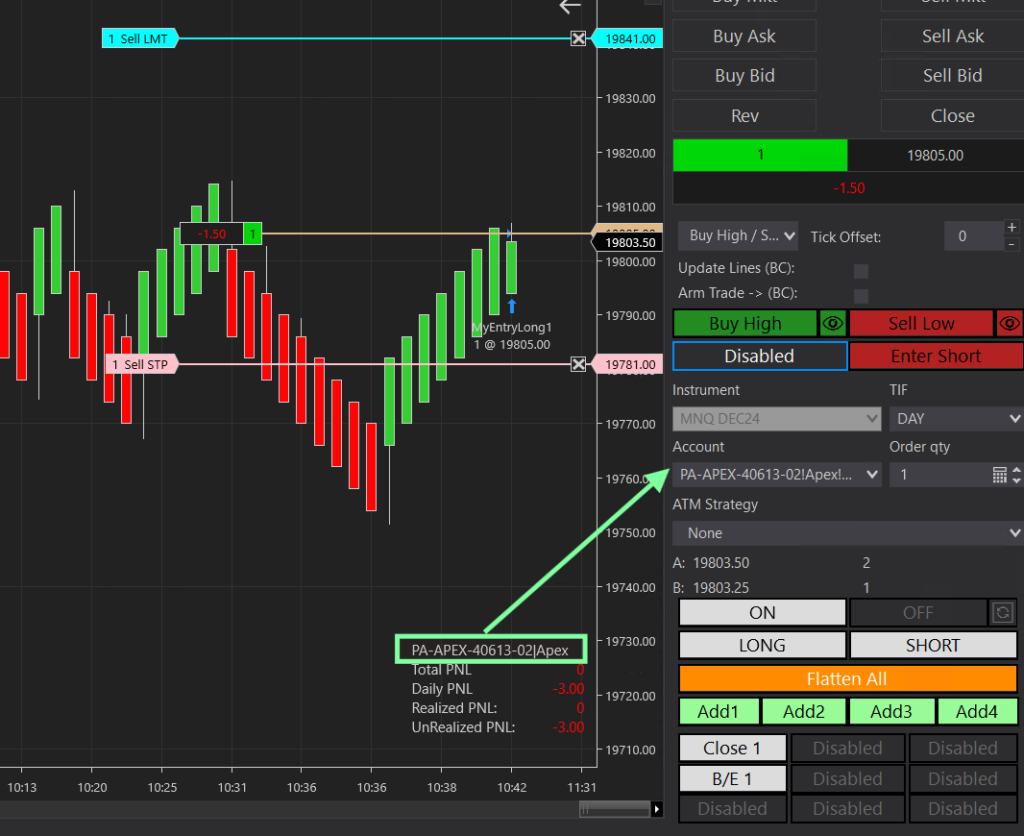
The account shown above your PNL display should always match the account in your Chart Trader panel — The account shown above your PNL is the account the Predator is taking trades on.
You’ll see below that the 2 accounts are different.
- PNL Display shows Sim101
- Chart Trader Panel shows PA account
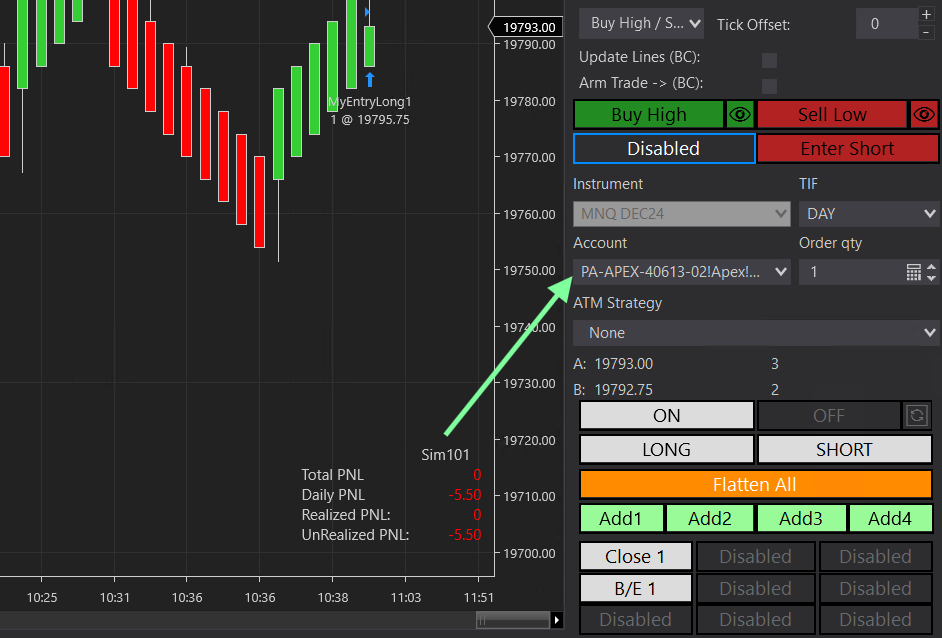
Now you might be wondering. How do I switch my account if I selected the wrong one?
Simply disable your strategy and head back into your Predator Properties: right-click chart → Strategies, scroll to the 'Setup' section, choose your account under the account dropdown.
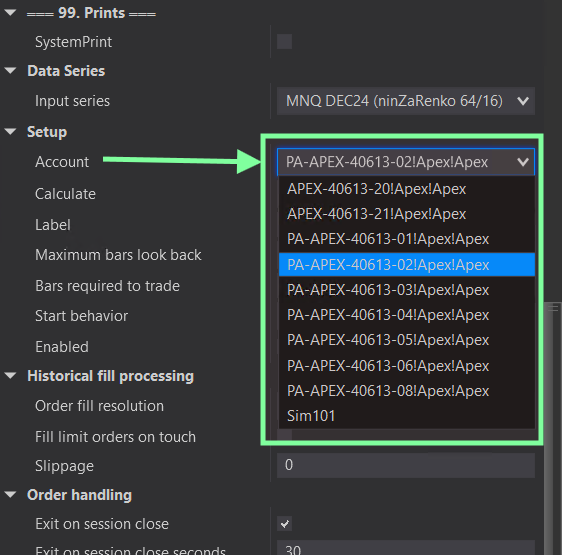
Once you have selected your account hit Apply → OK, then re-enable. Make sure the Chart Trader panel account matches the accout you selected.
Once they match, you'll see your profit and stop when you enter a trade.