Whether you're new to the Predator or just want a refresher, downloading and importing The Predator X is easier than ever.
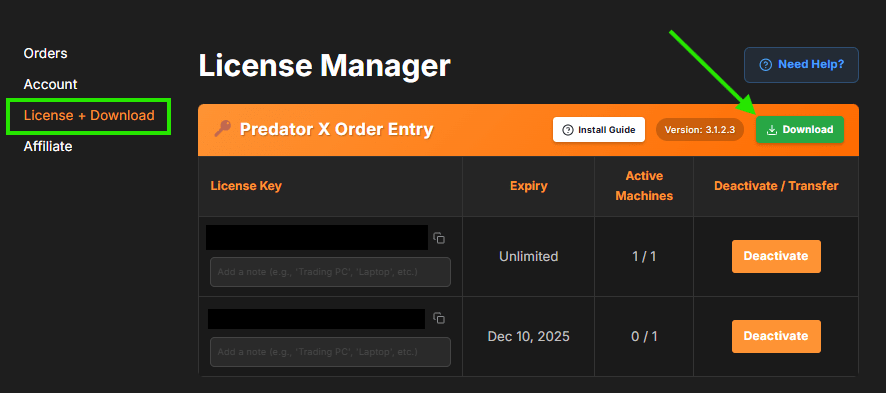
To download the latest version of the Order Entry, The Pullback, or The ORB: log in to your account → My Account → License + Download.
Inside your License + Download section, you'll see the green Download button next to the version number — click it!
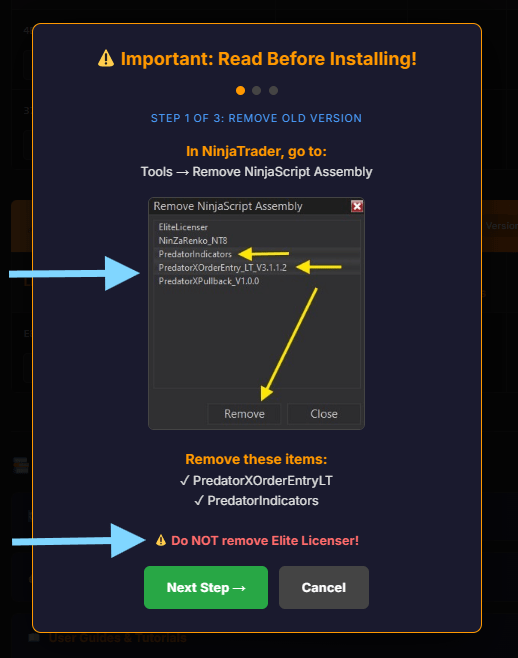
- Remove any old version of the Predator X Order Entry.
- Remove PredatorIndicators.
- Do NOT remove Elite Licenser — it was required for previous versions but no longer is.
If you removed Elite Licenser by accident, no worries — it re-installs when you import The Order Entry, Pullback, or ORB.
Once removed successfully, head back to the Control Panel: Tools → Import → NinjaScript Add-On, and select the FULL ZIP folder you downloaded from License + Download section.
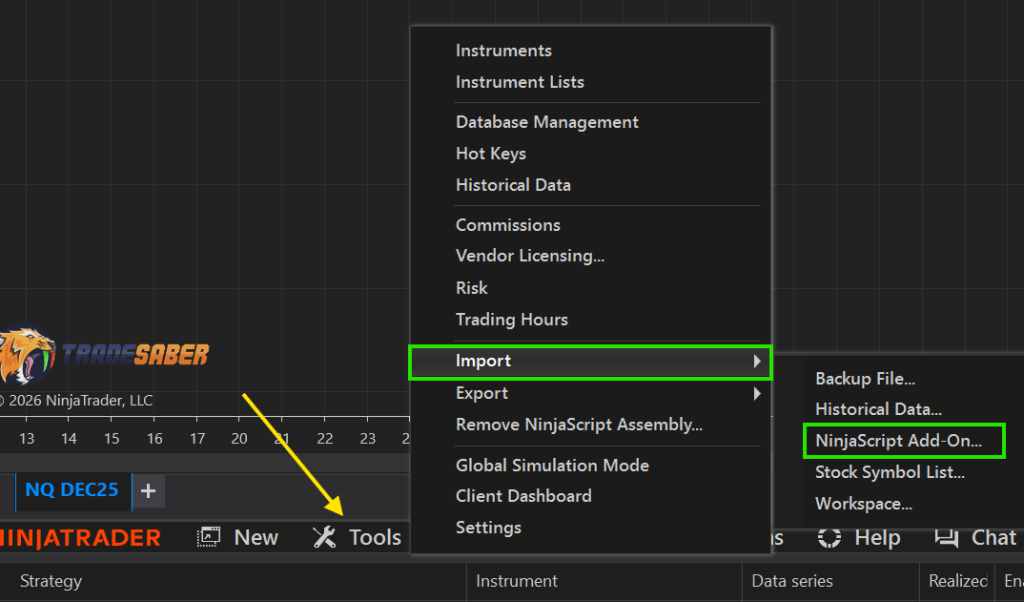
You may get an Elite Licenser pop-up — click NO! Always say NO at this step.
After the Predator installs successfully, you MUST restart NinjaTrader. This ensures all changes take effect and the version you just imported is the working file on your chart. Restart even if it's your first time using it.
After restarting, you're all set:
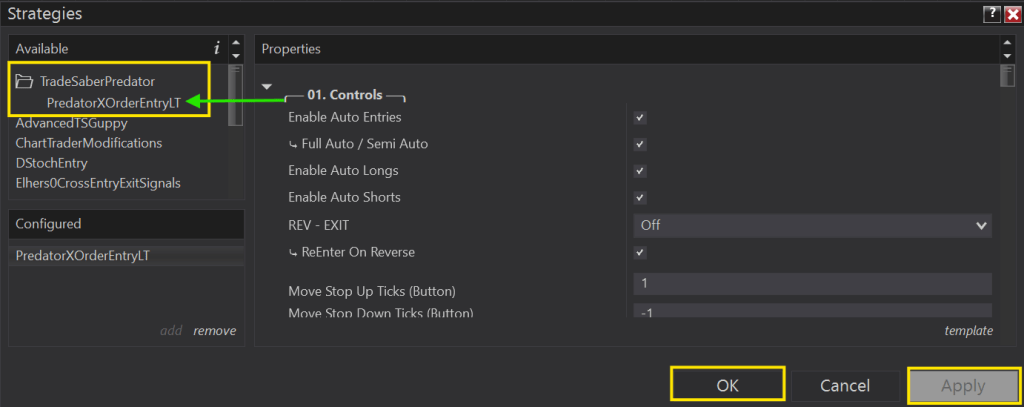
- Right-click the chart → Strategies → TradeSaberPredator → select PredatorXOrderEntry.
- Set up the Predator to suit your needs, then Apply and OK.
- Go to the Strategies tab in your Control Panel and click the Enable box.
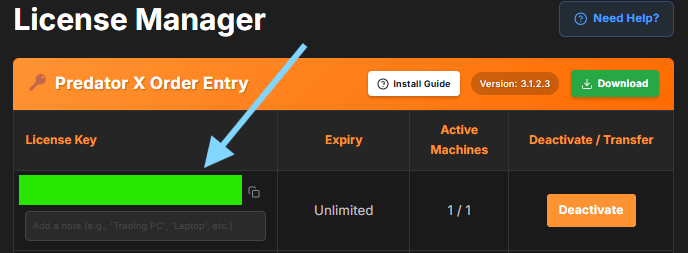
The first time you import, you'll be prompted for your License Key — found in your License + Download section under 'License Key.' (Below it is covered with the GREEN box)
Copy and paste it into the pop-up on NinjaTrader; once it processes, the Predator loads and you can begin trading.